Free Hyper-V Backup
Software from NAKIVO
- 1 year of free data protection
- Pro Edition features
- Up to 10 Microsoft Hyper-V VMs and 5 Microsoft 365 users
Download Free Edition
Protect More Than Just Hyper-V
with NAKIVO Free Edition








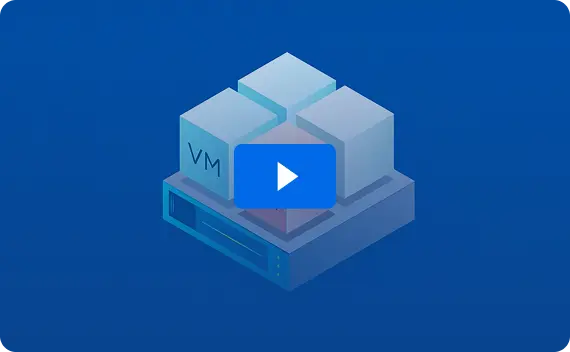
NAKIVO Free Edition:
Enterprise Backup for
Hyper-V, Free for a Year
Protect up to 10 Hyper-V VMs (or any other supported workloads) with fast, secure backup and instant recovery – all free for an entire year. Ideal for small Hyper-V setups or lab environments. When you’re ready to scale, easily upgrade to paid editions for advanced, full-infrastructure protection.
2-Minute Deployment
Easily deploy NAKIVO’s solution in your environment and run your first backup in minutes.













Ready to Go Beyond the Basics?
The Free Edition could be enough for small Hyper-V setups. To protect business-critical workloads with automated disaster recovery, cloud storage and more anti-ransomware capabilities, upgrade to NAKIVO’s paid editions built for uninterrupted operations.
FAQ
Can I protect Microsoft app data?
Yes. You can create incremental, application-aware backups of your Microsoft Hyper-V VMs and protect data in Microsoft apps such as Microsoft Active Directory, Microsoft Exchange and Microsoft SQL Server.
Can I back up more than just Hyper-V VMs?
Yes. The Free Edition covers up to 10 workloads of your choice, across virtual, physical, cloud or SaaS environments:
How fast is recovery with NAKIVO?
You can instantly restore individual files or application objects, or boot Hyper-V VMs directly from backups to get your systems running in minutes. Then, move them back to production when you’re ready with no downtime.
Does NAKIVO Free Edition protect against ransomware?
Yes. Your data stays safe even from ransomware threats. The Free Edition lets you create immutable backups in local Linux-based repositories and use source-side encryption to prevent unauthorized changes. For even stronger resilience, upgrade to the Enterprise Editions to enable cloud immutability and backup malware scan.
Can I store backups in the cloud?
You can keep your data safe both locally and offsite to eliminate a single point of failure. To store Hyper-V backups in the cloud (Amazon S3, Wasabi, Backblaze B2, Azure Blob and other S3-compatible platforms), on deduplication appliances or tape, upgrade to the Enterprise editions.