Free IT Monitoring for VMware vSphere with NAKIVO
- Monitor up to 10 VMware vSphere VMs
- 1 year of free IT monitoring and data protection
- Pro Edition features, no credit card required
Download Free Edition
IT Monitoring for VMware and Full Data Protection
All-in-One Free Edition


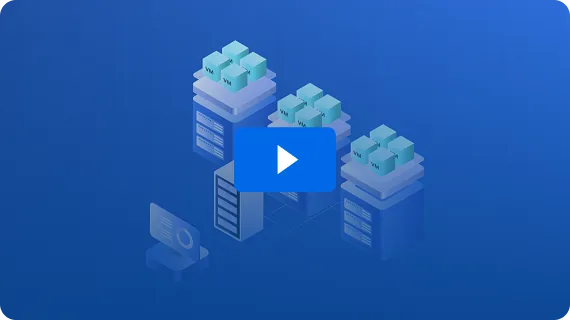
Real-Time Visibility Into Every VMware VM, Host and Datastore
Check the health and performance of your vSphere infrastructure from one dashboard. Track CPU, RAM and disk usage across hosts, VMs and datastores. No extra tools, no agents.
2-Minute Deployment
Easily deploy NAKIVO’s solution in your environment and run your first backup in minutes.
















Running VMware at Scale?
If your environment grows past 10 VMs, or calls for cloud backup, advanced ransomware protection, full disaster recovery orchestration or VMware Cloud Director support, step up to an edition built to protect more.
Does the Free Edition cover more than IT monitoring?
Yes. Alongside monitoring your VMware vSphere VMs, the NAKIVO Free Edition allows you to back up and replicate workloads across different platforms. Protect up to 10 workloads — VMware, Hyper-V, Nutanix AHV, Proxmox VE, Amazon EC2, Windows and Linux — plus 5 Microsoft 365 users, all from one interface.
Can I see historical data or only real-time metrics?
Both. The NAKIVO dashboard brings real-time and historical data together in one at-a-glance view. Review resource consumption over time, check what’s available right now and use the trends to plan capacity and anticipate scaling.
Is support included with the Free Edition?
Yes. You can reach NAKIVO experts through Live Chat right inside the web interface to get assistance without leaving the solution.
What’s the difference between the Free Trial and the Free Edition?
The Free Trial gives you the complete NAKIVO feature set for 15 days at full scale so that you can monitor up to 1,000 VMs and 100 hosts. After 15 days, the features switch off until you add a license.
The Free Edition stays free for a year and suits smaller setups: Monitoring and backup for up to 10 VMs. Pick the trial to test everything at full scale, or the Free Edition to protect a small environment at no cost.
Can I set up alerts for performance issues or suspicious activity?
Yes. Configure alerts to flag performance issues and unusual behavior across your VMware hosts, VMs and datastores, including signs of a potential ransomware attack. Timely notifications help you react faster and keep your infrastructure safe.